🏆 #1 Tip Tracker for Service Workers

Track Every Dollar
You Earn

The world's most powerful tip tracking app for casino dealers, servers, bartenders, and service workers. Voice log tips, scan receipts with AI, track VIP customers, and get your own personal QR tip code.

47+
Unique Features
20
Languages
500+
Business Logos
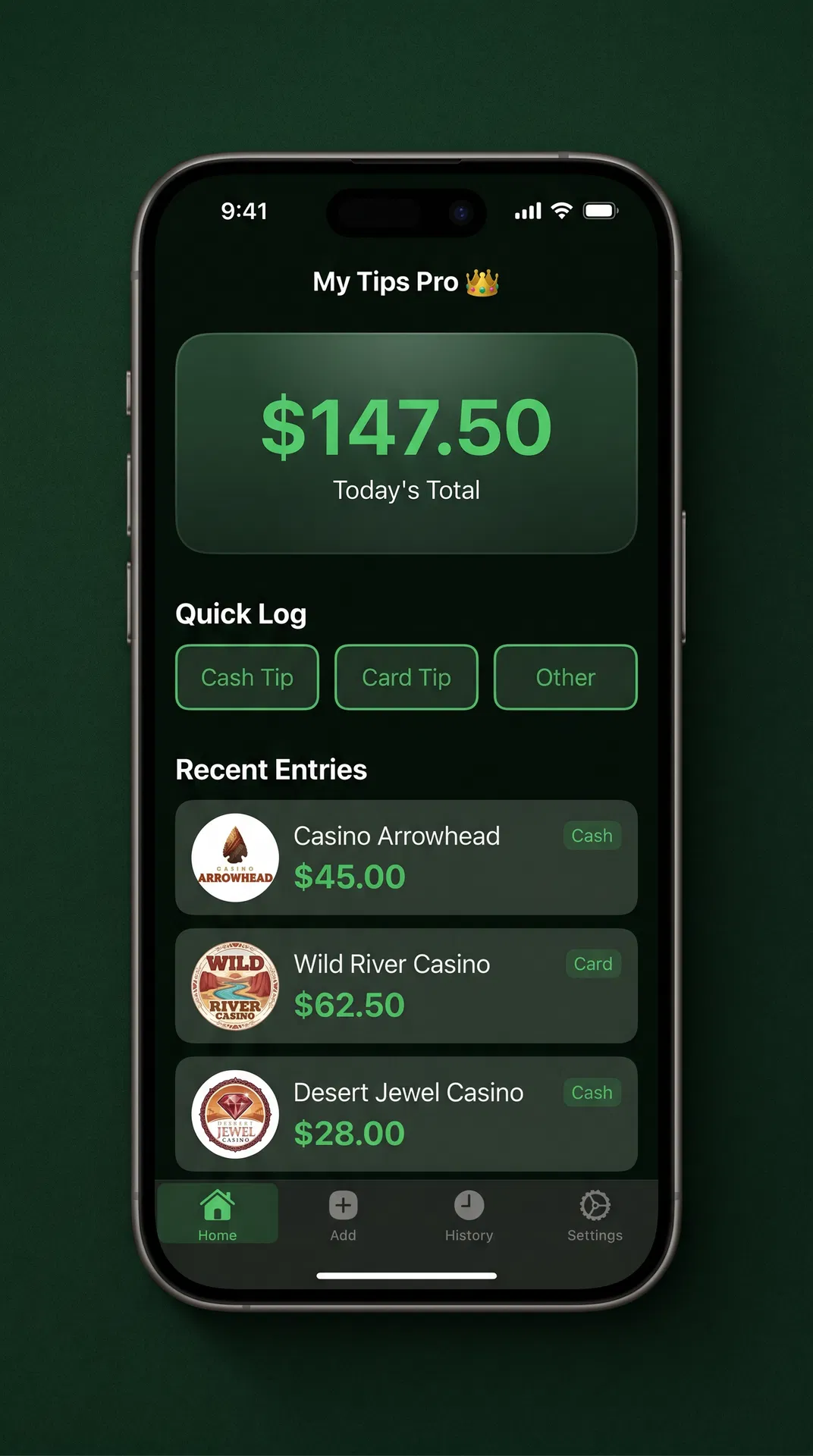
My Tips Pro Home Screen
THIS MONTH
$1,247.50
↑ 12% vs last month
TODAY'S TOTAL
$106.75
5 entries logged

Download My Tips Pro

Free on iOS and Android. Scan the QR code or tap your store below.

OR
Scan to download My Tips Pro
📱 Scan with your phone camera Auto-detects iOS or Android and opens the correct store

Everything a Tipped Worker Needs

47 features that no other tip tracker app comes close to matching. Built by service workers, for service workers.

📱
Screenshot Logging
Snap a screenshot of any gig app, pay stub, or tip screen — the AI reads it instantly and logs the amount, business, date, and type. No typing needed.
PLUS
🎙️
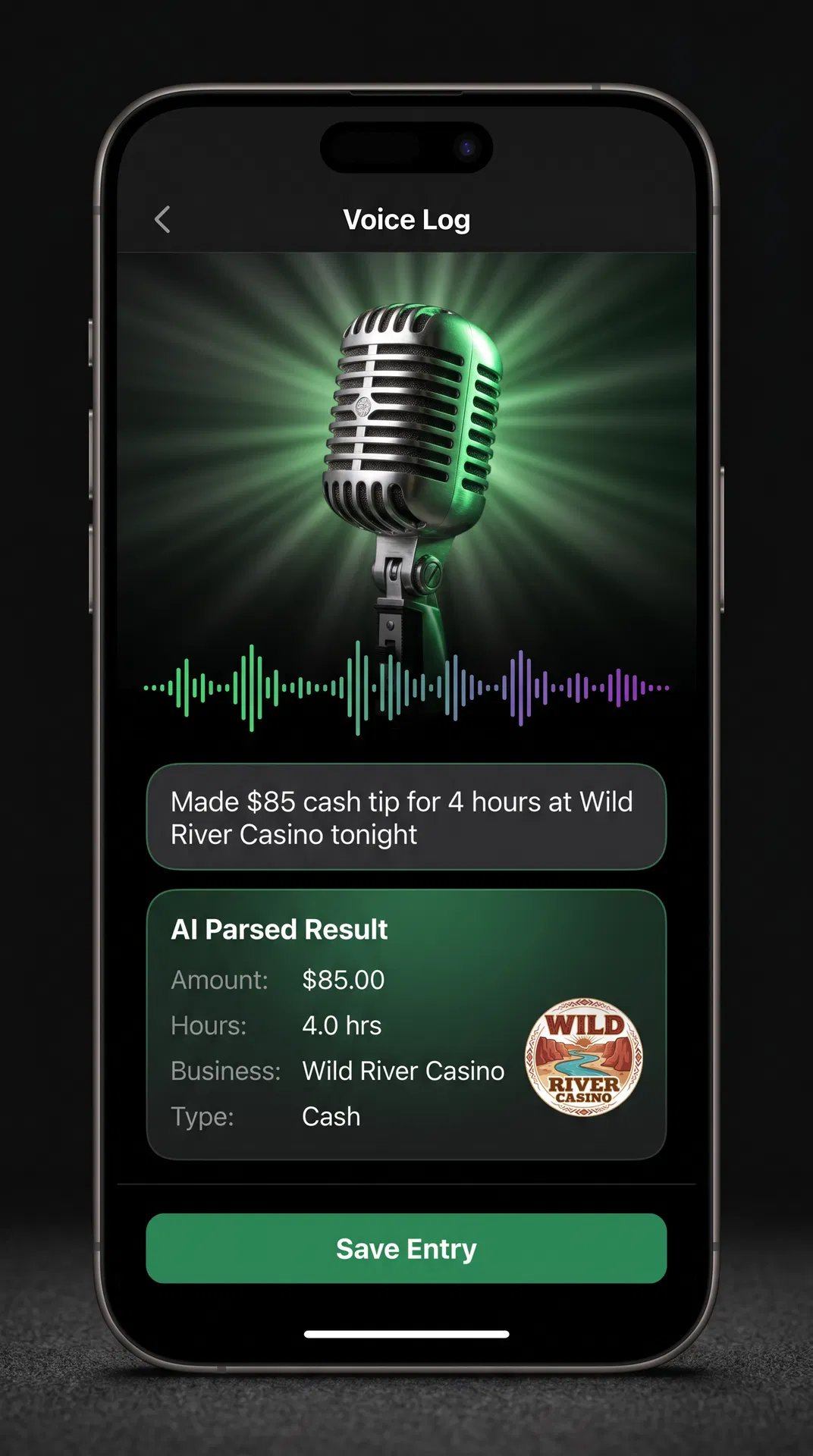
Voice Tip Logging
Just say "Made $85 cash tip for 4 hours at Wild River Casino" and the app logs everything automatically — amount, hours, business, date, and type.
PRO
📸
AI Receipt Scanning
Point your camera at any receipt. AI reads the tip amount, total, and date instantly. Bulk scan multiple receipts in one photo — or screenshot your gig app earnings screen.
PLUS
📅
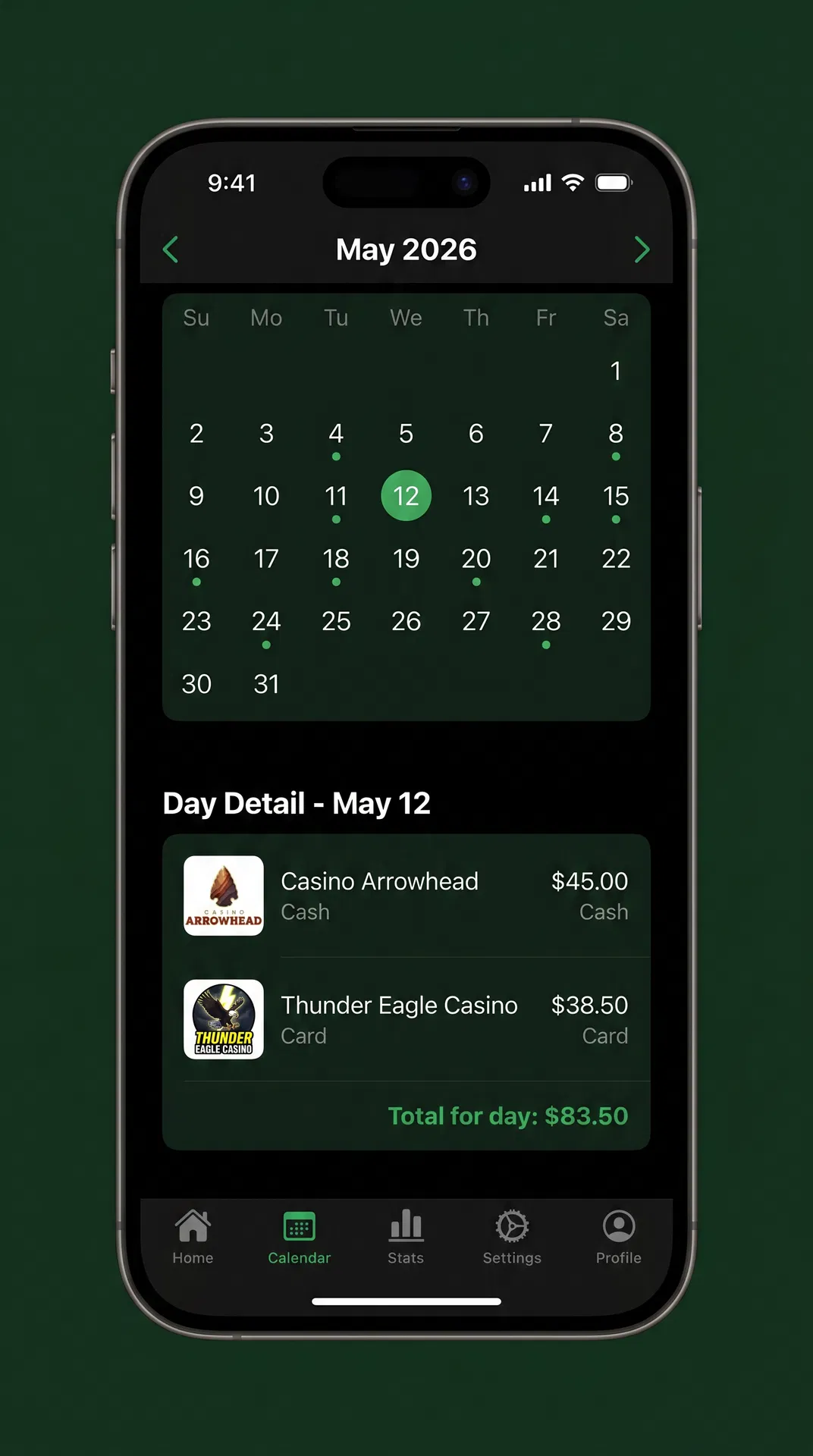
Calendar Dashboard
See your earnings on every day of the month at a glance. Color-coded by tip intensity — darker green means better day.
FREE
👑
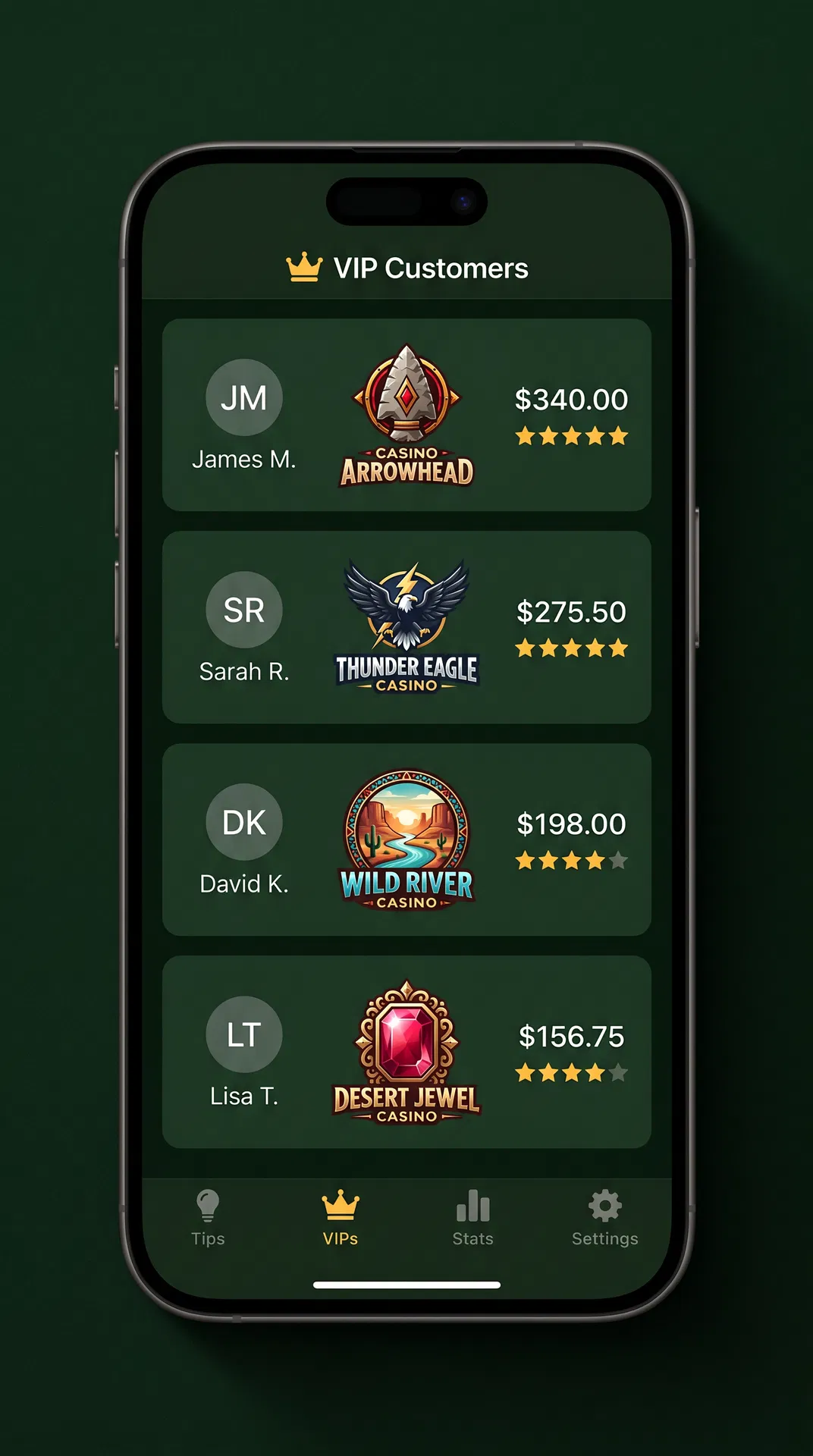
VIP Customer Tracker
Remember your regulars by name. Track their average tip, visit patterns, and get alerts when they're likely to come in.
PRO
🔲
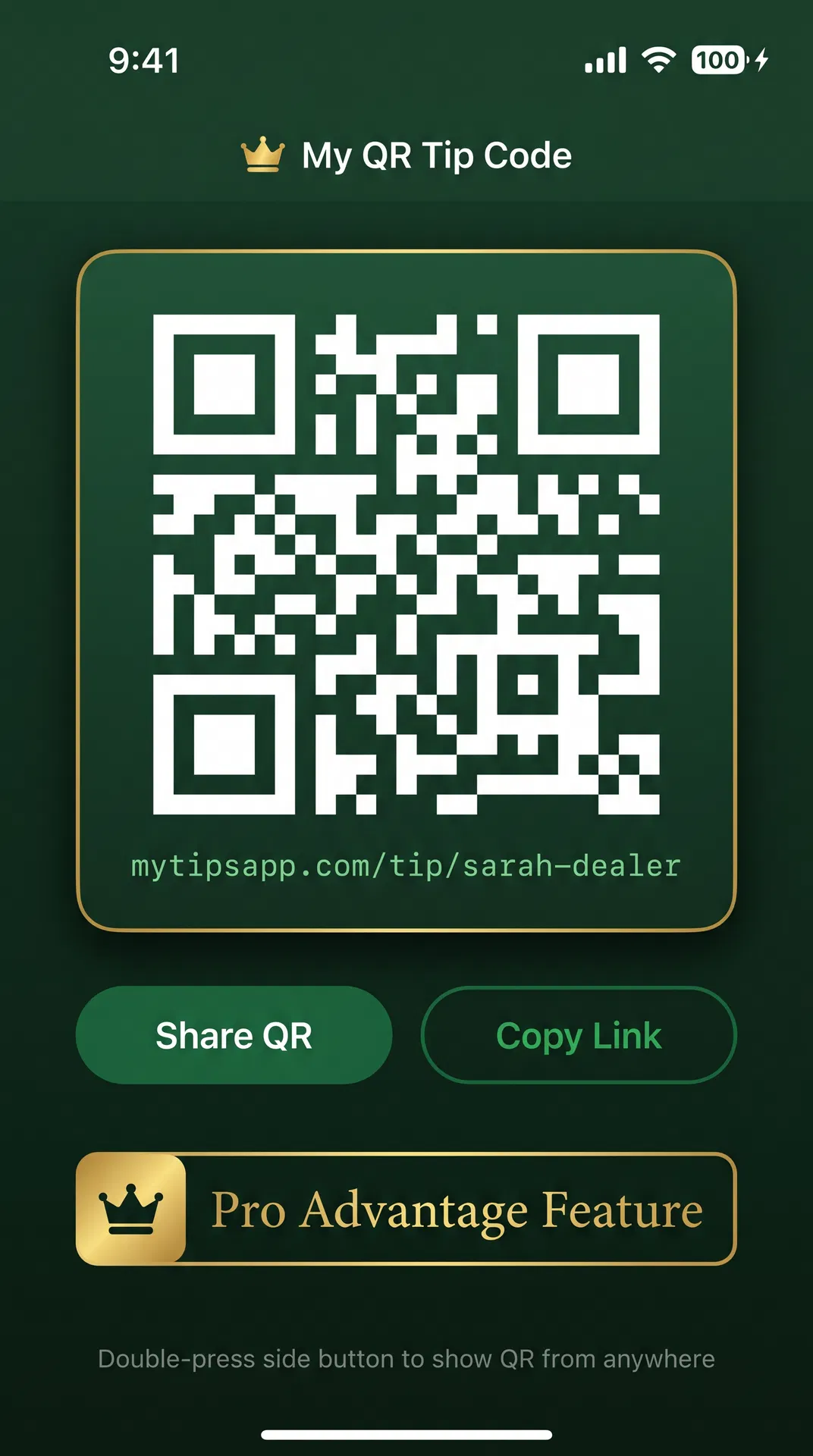
Personal QR Tip Code
Get your own QR code at registration. Customers scan it to tip you directly. Double-press your side button to show it instantly.
PRO
🏢
Live Business Logos
500+ casino, restaurant, hotel, and service chain logos auto-loaded for every entry. Live updates when brands change their logo.
FREE
📊
Tax & Finance Tools
Federal + state tax estimator, true hourly rate calculator, pay stub analyzer, and one-tap PDF export for your accountant.
PRO
🌍
20 Languages & Currencies
Auto-detects your device language and currency. Works in English, Spanish, French, Japanese, Arabic, Hindi, and 14 more.
FREE
🎭
Celebrity Impressions
Get your tips confirmed in the voice of a celebrity impersonation — Snoop, Post, Saul, Woody, or Billy Bob.
PRO

See It in Action

Every screen designed for one-handed use, built for the pace of a busy shift.

Home Dashboard
Home Dashboard
Calendar View
Calendar View
Voice Logging
Voice Logging
VIP Customers
VIP Customers
QR Tip Code
QR Tip Code

Up and Running in 60 Seconds

No complicated setup. No learning curve. Just open the app and start tracking.

1
Download & Sign In
Download My Tips Pro free from the App Store or Google Play. Sign in with your email or Apple/Google account. Your data syncs securely to the cloud so you never lose a single entry.
💡 The interactive tutorial launches automatically on your first login and walks you through every section of the dashboard.
2
Log Your First Tip
Tap Cash Tip, Card Tip, or Other Income on the Quick Log row. Enter the amount and business name. The app automatically fetches the business logo and adds the tip to today's calendar. Takes under 5 seconds.
💡 Pro users can just say "Got a $45 cash tip at Casino Arrowhead" and the app logs everything hands-free.
3
View Your Calendar
Tap the Calendar tab to see your entire month at a glance. Every day shows your total earnings with color intensity — the darker the green, the better the day. Tap any day to see the full breakdown of every tip, shift, and note.
💡 Double-tap any day to add a note or tag a VIP customer to that visit.
4
Track Your VIP Regulars
Go to the VIP tab and add your best regulars by name. The app tracks their average tip, how often they visit, which days they tend to come in, and alerts you when they're likely to show up. Never forget a regular's name again.
💡 The voice system can detect VIP names automatically — say "John the whale just tipped me $150" and it tags the visit.
5
Share Your QR Tip Code (Pro)
Upgrade to Pro Advantage and get your own personal QR tip code. Show it to customers, post it at your station, or text it to regulars. Double-press your phone's side button to pop it up instantly from anywhere in the app.
💡 Your QR link is permanent and tied to your account — it never changes even if you reinstall the app.
6
Export for Taxes
Go to Settings → Export Report. Choose any date range — today, this week, this month, or all time. The app generates a professional PDF with your daily breakdown, cash vs. card split, tip-outs, and tax summary. Email it directly to your accountant.
💡 The tax estimator calculates your federal and state tax liability in real time as you log tips throughout the year.
📖 Full Interactive Tutorial →

Start Free. Upgrade When Ready.

No subscription required for the basics. Upgrade once and own it forever.

Free
$0
forever
  • Unlimited tip logging
  • Calendar dashboard
  • Monthly & weekly totals
  • Business logo lookup
  • 20 languages & currencies
  • Dark & light mode
  • Ad-free experience
  • AI receipt scanning
  • Trends & analytics
Download Free
Pro Advantage
$19.99
one-time · yours forever
  • Everything in Plus
  • Personal QR tip code
  • Shareable tip link
  • 5 celebrity impersonation voices (Snoop, Saul & more)
  • VIP voice recognition
  • Double-press side button QR
  • Gold PRO badge
  • Priority support
👑 Get Pro — $19.99 One-Time

Loved by Service Workers Worldwide

★★★★★
"I've been dealing cards for 11 years and this is the first app that actually gets how we work. The voice logging is insane — I just say what I made and it's done."
🎰
Mike D.
Table Games Dealer · Scottsdale, AZ
★★★★★
"The VIP tracker changed my whole approach. I know exactly which customers to watch for and what they usually tip. My income is up 18% since I started using it."
🍸
Sarah K.
Bartender · Chicago, IL
★★★★★
"Tax season used to be a nightmare. Now I just export the PDF and hand it to my accountant. The tax estimator is so accurate it's scary. Worth every penny of the Pro upgrade."
🍽️
Carlos R.
Server · Miami, FL

Get Paid Directly.
No Middleman.

Your tips go straight to your account — My Tips Pro never touches your money.

⚙️
1. Set Up Your Handles
Add your Venmo, Cash App, Zelle, or PayPal username in Settings. Or connect your bank account once via Stripe to accept credit and debit cards. Takes about 2 minutes.
📲
2. Customer Scans Your QR
They pick their preferred payment app — Venmo, Cash App, Zelle, PayPal, or card — enter the amount, and pay. Just like sending money to a friend. No account needed for the customer.
🏦
3. Money Goes Straight to You
Funds land in your Venmo, Cash App, or bank account. My Tips Pro automatically logs the tip so your records stay perfect — no manual entry needed.
Supported Payment Methods
Venmo
Cash App
Zelle
PayPal
💳Credit & Debit
Payment Disclosure

My Tips Pro is a tip tracking and analytics application. It is not a bank, money transmitter, or payment processor. All payments facilitated through the QR Tip Page are processed exclusively by the selected third-party provider (Venmo, Cash App, Zelle, PayPal, or Stripe). My Tips Pro does not hold, store, or transfer funds on your behalf. Standard fees charged by each payment provider may apply — for example, Stripe charges 2.9% + $0.30 per card transaction. My Tips Pro charges no additional platform fee on tips received. Users are responsible for complying with their chosen payment provider's terms of service.